
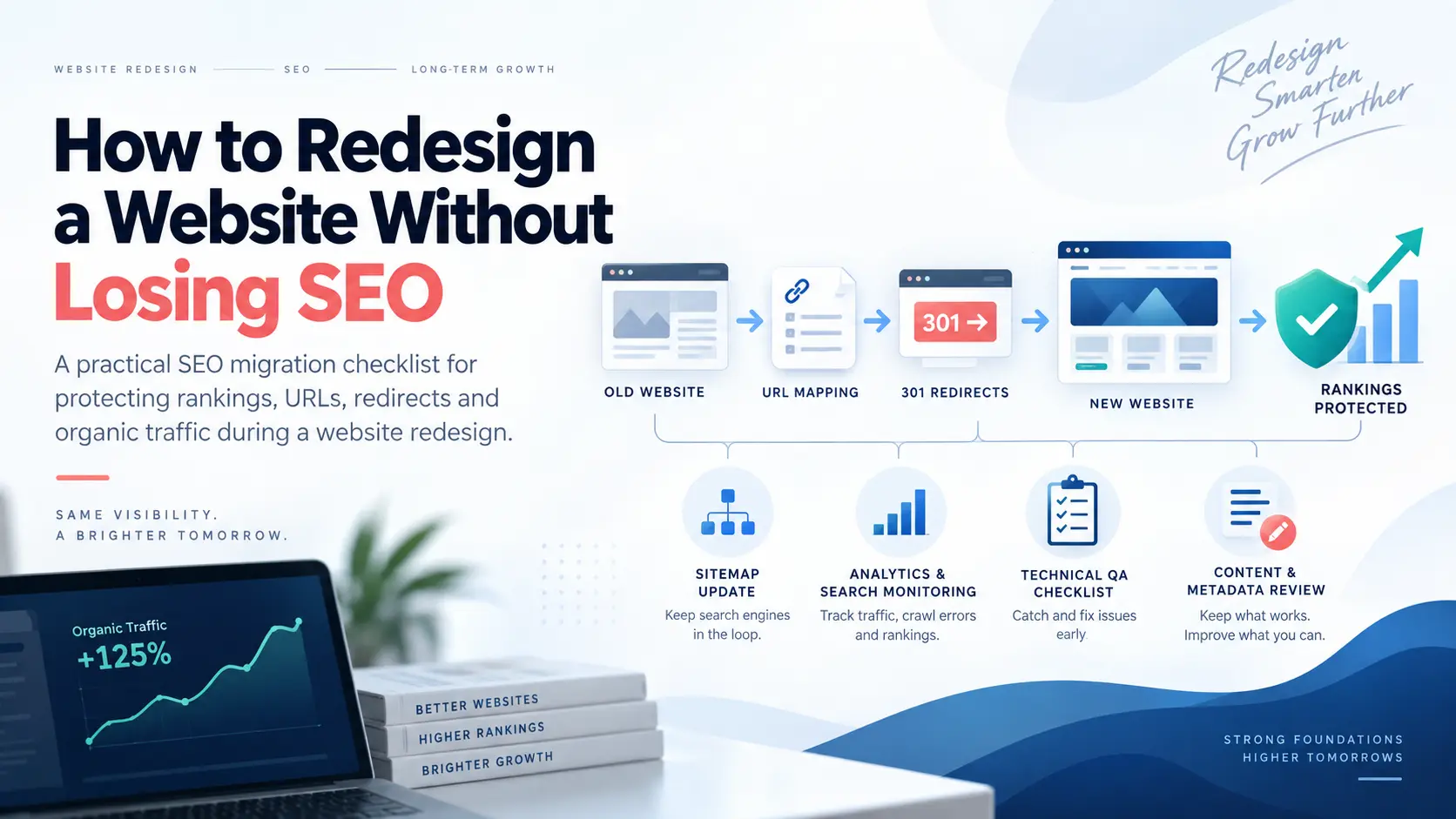
Does changing your website affect SEO?
Yes, a website redesign can affect SEO, but changing the visual design itself is usually not the main problem.
The real risk comes from changing the signals Google already uses to understand and rank the website.
For example, a redesign may accidentally change:
- page URLs,
- site architecture,
- navigation,
- internal links,
- page titles and headings,
- service-page content,
- canonical tags,
- robots directives,
- structured data,
- JavaScript rendering,
- mobile layouts,
- XML sitemaps,
- tracking scripts, and
- server behaviour.
A website can therefore look dramatically better to a human while becoming substantially harder for Google to crawl, understand or associate with the searches it previously ranked for.
This is why SEO should be part of redesign planning before development begins, not a task added after launch.
Our guide on web development and digital marketing explains why SEO, analytics, PPC and conversion requirements are easier to build into a website than repair later.
How to redesign a website without losing SEO: the five rules
If you remember only five things from this guide, make them these:
- Know what is already working before changing anything.
- Keep existing URLs whenever there is no strong reason to change them.
- Map every necessary URL change to the most relevant replacement.
- Protect valuable content, internal links and technical SEO signals.
- Monitor the launch closely instead of assuming the migration worked.
A redesign becomes dangerous when the development team treats the old website as disposable.
The existing website contains years of accumulated search information:
- URLs Google already knows,
- external links pointing to those URLs,
- historical engagement and search data,
- internal-link relationships,
- content associated with particular queries, and
- pages Google has already chosen to index.
The job of an SEO-safe redesign is not to preserve every outdated design decision. It is to understand which existing signals have value and transfer them correctly into the new website.
Website redesign risk: not every redesign is equally dangerous
A redesign that changes only CSS and layout has a very different risk profile from a redesign that simultaneously changes the CMS, domain, URLs, content and site architecture.
| Redesign type | Typical SEO risk | Main concern |
|---|---|---|
| Visual redesign only | Lower | Rendering, mobile UX, headings, hidden content and performance changes. |
| Template redesign | Low to moderate | Navigation, internal links, headings, schema and content placement may change. |
| CMS migration | Moderate | URL behaviour, metadata, canonicals, redirects, schema and indexability. |
| URL restructuring | Higher | Every changed URL needs accurate mapping and permanent redirects. |
| Major content consolidation | Higher | Pages may lose relevance for queries previously supported by removed content. |
| Domain + CMS + URL + content change | Highest | Multiple variables change at once, making signal transfer and troubleshooting harder. |
This is a planning framework, not a Google scoring system.
Where possible, avoid changing things simply because the new CMS prefers a different format.
Step 1: benchmark the old website before touching the redesign
You cannot protect what you have not recorded.
Before rebuilding the site, create a baseline of the existing website.
Crawl every accessible URL
Use a crawler such as Screaming Frog or another reliable crawling tool to record:
- URL,
- HTTP status,
- page title,
- meta description,
- H1,
- canonical URL,
- indexability,
- word count,
- internal links,
- images,
- structured data, and
- redirect behaviour.
Export Google Search Console data
Identify pages receiving:
- organic clicks,
- search impressions,
- important non-brand queries, and
- visibility for commercial searches.
Review analytics and conversions
A page receiving modest traffic may still be extremely valuable if it generates enquiries.
Record:
- organic landing pages,
- lead forms,
- phone calls,
- WhatsApp actions,
- sales or transactions, and
- other important conversions.
Identify pages with backlinks
A page may receive little current traffic but still have valuable external links pointing to it.
Deleting it without reviewing those links can waste authority that the site has accumulated over time.
Screaming Frog specifically recommends combining crawl information with Analytics, Search Console and backlink data during migrations so important or orphaned URLs are less likely to be missed.
Step 2: keep existing URLs whenever they still make sense
This is one of the simplest ways to reduce migration risk.
If this existing page already ranks:
example.com/services/seo-services
there is usually little SEO benefit in changing it merely because the developer prefers:
example.com/digital-marketing/search-engine-optimisation-agency
The old URL may already have:
- Google history,
- external backlinks,
- internal links,
- bookmarks,
- social references, and
- search visibility.
If the topic remains the same and the old URL is clean, keeping it is normally the simpler option.
A redesign does not require new URLs.
Step 3: build a one-to-one redirect map before launch
If URLs genuinely need to change, create the redirect map before the new site goes live.
A simple migration spreadsheet should contain:
| Old URL | New URL | Action | Reason |
|---|---|---|---|
| /old-seo-page | /services/seo-services | 301 | Direct equivalent exists |
| /seo-pricing-old | /blog/seo-services-cost-nagpur | 301 | Relevant replacement |
| /obsolete-event-2019 | No equivalent | 404/410 | Content removed with no useful replacement |
Google recommends permanent server-side redirects such as 301 or 308 for pages that have permanently moved.
Google also says permanent redirects do not cause a PageRank loss.
Read Google's official redirect guidance.
Do not redirect every deleted page to the homepage
This is one of the most damaging shortcuts during a migration.
Suppose the old website has:
- /dental-implants
- /root-canal
- /orthodontics
- /emergency-dentist
If the new website removes those pages, redirecting all four to the homepage does not preserve their relevance.
The homepage may not answer the same question at all.
Google specifically warns against redirecting many old URLs to one irrelevant destination because this can confuse users and may be treated as a soft 404.
Redirect to the closest genuine replacement.
If no useful replacement exists, a proper 404 or 410 can be cleaner than an irrelevant redirect.
How long should 301 redirects stay in place?
This is one area where Google gives unusually specific guidance.
Google recommends keeping redirects for as long as practical and says generally at least one year.
That gives Google time to:
- revisit the old URLs,
- discover the redirects,
- process the new destinations, and
- transfer relevant signals.
For users, keeping important redirects indefinitely can sometimes make sense because old bookmarks, articles and external links may continue to send traffic years later.
Step 4: protect the content that is already earning visibility
A redesign often includes a content rewrite.
That can be positive, but blindly shortening pages can remove the information that helped them rank.
Before rewriting a successful page, check:
- which queries currently trigger it,
- which sections answer those searches,
- which headings attract long-tail visibility,
- which questions users need answered, and
- whether the page produces conversions.
For example, a service page might currently contain useful sections about:
- pricing,
- process,
- service areas,
- common problems,
- technical details, and
- FAQs.
A designer may view those sections as “too much text” and reduce the page to one large image and three lines of copy.
The new design may look cleaner but become substantially less useful for searchers.
The correct solution is usually better presentation, not automatic deletion.
Step 5: preserve internal-link relationships
Internal links are often accidentally destroyed during redesigns.
The old site may have a strong structure:
Homepage → SEO Services → Local SEO → Supporting Guides → Conversion Page
The redesigned site may replace that with:
Homepage → Services → Contact
Important deeper pages suddenly receive fewer internal links.
Google recommends updating internal links to point directly to new URLs during a site move rather than relying permanently on redirects.
Review:
- main navigation,
- footer navigation,
- breadcrumbs,
- service-page links,
- blog-to-service links,
- related articles, and
- contextual body links.
For example, an article about redesign risk should naturally connect users to web development services and SEO services rather than leaving the article as an isolated page.
Step 6: protect the staging site without accidentally blocking production
Development sites normally should not appear in Google.
Teams often protect staging with:
- password authentication,
- IP restrictions,
noindex, or- robots controls.
The dangerous part happens on launch day.
A staging template containing:
<meta name="robots" content="noindex">
gets copied into production.
The website looks completely normal to visitors while telling search engines not to index it.
Google specifically lists forgotten staging noindex or robots restrictions among common migration mistakes.
Indexability should therefore be checked immediately before and immediately after launch.
Step 7: check canonical tags on every important template
Canonical tags help indicate the preferred version of duplicate or very similar pages.
During a redesign, common mistakes include:
- canonicals still pointing to the staging domain,
- every page canonicalizing to the homepage,
- HTTP canonicals on an HTTPS site,
- old URLs remaining canonical after migration, and
- missing self-referencing canonicals.
Google recommends updating canonical annotations to the new URLs during a migration.
You can read Google's canonical URL documentation for the underlying rules.
Step 8: update the XML sitemap
Your post-launch sitemap should contain the canonical URLs you actually want Google to discover and index.
Do not continue submitting a sitemap filled with:
- old redirected URLs,
- 404 pages,
- staging URLs,
- duplicate URLs, or
- non-canonical pages.
Google recommends submitting the new sitemap in Search Console after a migration because it can help Google discover the new URLs.
The sitemap does not replace good navigation or internal linking, but it is an important migration discovery signal.
Step 9: recheck structured data, hreflang and metadata
Structured information can disappear simply because the new template did not reproduce it.
Compare the old and new site for:
- page titles,
- meta descriptions,
- canonical tags,
- Organization or LocalBusiness schema,
- Product schema,
- Article schema,
- Breadcrumb schema,
- FAQ data where appropriate,
- hreflang for multilingual websites, and
- Open Graph/social metadata where relevant.
Do not copy bad metadata merely because it existed before.
The objective is to make deliberate improvements rather than accidentally losing useful elements.
Step 10: make the redesigned site faster without destroying important content
Performance is a common reason for redesigning a website, but optimisation should not remove functionality the business needs.
Review:
- image dimensions and compression,
- modern formats such as WebP where suitable,
- unused scripts,
- third-party tracking,
- font loading,
- layout stability,
- mobile navigation,
- form usability, and
- server response times.
The best redesign improves both search accessibility and user conversion.
If your existing site is technically limiting marketing performance, this is exactly where SEO-ready web development should work together with SEO rather than operate as two separate projects.
Step 11: do not lose analytics and conversion tracking
A redesign can launch perfectly from an SEO perspective and still create a reporting disaster if tracking disappears.
Validate:
- GA4,
- Google Tag Manager,
- Google Ads conversion tags,
- Meta Pixel where used,
- form submission events,
- phone-call clicks,
- WhatsApp events,
- ecommerce tracking, and
- CRM integrations.
If conversion tracking breaks during launch, you may incorrectly conclude that SEO or advertising performance collapsed when only the measurement layer failed.
The SEO redesign checklist before launch
Before switching the new site live, work through this checklist.
| Check | Before launch |
|---|---|
| Complete old-site crawl saved | Required |
| High-traffic URLs identified | Required |
| Conversion-generating pages identified | Required |
| Backlinked URLs reviewed | Recommended |
| Old → new URL map completed | Required if URLs change |
| 301/308 redirects prepared | Required if URLs change |
| Titles and H1s reviewed | Required |
| Canonical tags validated | Required |
| Internal links crawled | Required |
| Structured data validated | Recommended where applicable |
| XML sitemap generated | Required |
| Robots rules checked | Required |
| Noindex removed from production | Critical |
| Analytics and conversion tracking tested | Critical |
| Forms and phone actions tested | Critical |
What should happen on launch day?
Launch day is not the end of the project. It is the beginning of migration validation.
Immediately after deployment:
- Crawl the production website.
- Confirm important URLs return HTTP 200.
- Test old URLs and verify redirects.
- Check that redirects go directly to final destinations.
- Inspect canonical tags.
- Check robots.txt.
- Confirm production pages are indexable.
- Validate the XML sitemap.
- Check navigation and internal links.
- Test forms and conversion events.
- Confirm analytics is receiving traffic.
- Inspect several important URLs in Search Console.
Do not assume a redirect spreadsheet is correct merely because it exists.
Test the actual server response.
Avoid redirect chains
A redirect chain happens when an old URL moves through several locations before reaching the final page.
For example:
/old-service → /services-old → /services-new → /services/seo
A cleaner setup is:
/old-service → /services/seo
Googlebot can follow redirect chains, but Google recommends keeping them short and redirecting directly to the final destination where possible.
Long chains:
- add latency,
- complicate troubleshooting,
- increase crawl complexity, and
- create more opportunities for failure.
What Google says about ranking fluctuations after a redesign
Even a technically well-managed migration can experience temporary visibility changes.
Google states that significant site moves can cause ranking fluctuations while its systems:
- recrawl old URLs,
- discover redirects,
- crawl new URLs,
- process canonical signals, and
- update the index.
Google notes that for a small or medium-sized website, processing the move can take a few weeks or more. Larger websites can take longer.
This is why evaluating a migration only 24 hours after launch can produce the wrong conclusion.
At the same time, a large sudden decline should not automatically be dismissed as “normal migration fluctuation.”
Check for technical mistakes immediately.
What SEO experts recommend
The strongest expert migration advice is remarkably consistent.
Google Search Central
Google recommends preparing the new site thoroughly, creating an old-to-new URL mapping, implementing permanent redirects, updating internal links, updating canonicals and submitting the new sitemap.
Official resource: Google's site migration documentation.
Aleyda Solis
International SEO consultant Aleyda Solis emphasizes migration validation around important old URLs, redirect behaviour and ensuring that new destinations remain properly optimized.
Her migration resources are useful because they treat redesigns as a process requiring validation before and after launch rather than simply a development deployment.
Resource: Aleyda Solis SEO migration resources.
Screaming Frog
Screaming Frog recommends creating a complete crawl of the existing site and combining crawler data with Search Console, Analytics, sitemaps and backlink information to ensure valuable or orphaned URLs are not overlooked.
Resource: Screaming Frog migration guide.
What SEO communities repeatedly warn about
Community discussions should not be treated as controlled research, but real migration experiences reveal recurring failure patterns.
Across SEO community discussions, several warnings appear repeatedly:
- do not change successful URLs unnecessarily,
- map top organic pages before launch,
- do not forget 301 redirects,
- preserve site structure and internal linking where it still makes sense,
- do not remove ranking content without understanding why it performs, and
- check redirects and indexing first when rankings fall after a redesign.
One Reddit commenter described a large ecommerce migration where missing redirect planning was followed by approximately a 25% traffic decline and a prolonged recovery.
Another recent community discussion described a migration without complete URL mapping followed by a large traffic decline before redirects were repaired.
These are individual anecdotes, not industry benchmarks.
There is no credible universal statistic saying “website redesigns lose X% of SEO traffic.”
The outcome depends heavily on what changes and whether the migration is executed correctly.
Website redesign traffic dropped: what should you check first?
If organic traffic falls after launch, troubleshoot systematically.
| Symptom | First checks |
|---|---|
| Entire site disappears | Robots.txt, noindex, server errors, domain configuration and canonical tags. |
| Only changed URLs fall | Redirect mapping, redirect status codes, canonicals and content equivalence. |
| Service pages fall but blogs remain stable | Commercial-page content, navigation, internal links and template changes. |
| Traffic stable but leads fall | Forms, CTA placement, phone links, tracking and conversion UX. |
| Google indexes staging URLs | Canonicals, staging protection, internal links and sitemap configuration. |
| 404 errors increase | Missing redirects and removed internal links. |
| Google chooses unexpected canonicals | Canonical tags, duplicate URLs, redirects and sitemap consistency. |
The first 72 hours after launch
The first few days should focus on technical validation rather than obsessively checking every keyword position.
Monitor:
- server errors,
- 404s,
- redirect failures,
- indexability,
- canonical behaviour,
- analytics traffic,
- forms and conversion tracking,
- Googlebot access, and
- Search Console inspection of priority URLs.
Fix obvious deployment mistakes immediately.
What to monitor during the first 30 days
After the technical launch checks pass, compare the redesigned site against the pre-launch baseline.
Track:
- organic clicks,
- organic impressions,
- important query groups,
- commercial landing-page traffic,
- indexed-page counts,
- crawl errors,
- Google-selected canonicals,
- qualified enquiries,
- form conversions, and
- revenue where measurable.
Do not compare only total organic traffic.
A redesign can lose low-value informational traffic while improving commercial pages, or preserve total traffic while damaging the pages responsible for leads.
Evaluate the URLs that matter to the business.
Should you change content, URLs, CMS and domain at the same time?
Sometimes a full transformation is unavoidable.
But every additional variable makes the migration harder to diagnose.
If a website simultaneously changes:
- domain,
- CMS,
- URL structure,
- navigation,
- content,
- hosting, and
- design,
and rankings drop, identifying the cause becomes considerably harder.
Where business requirements allow, keep unnecessary variables stable.
A redesign should change what needs improving, not automatically replace everything Google already understands.
Can a redesign actually improve SEO?
Absolutely.
A redesign can create a stronger SEO foundation when it fixes genuine problems such as:
- confusing site architecture,
- slow templates,
- poor mobile UX,
- duplicate content,
- weak service pages,
- broken internal links,
- unclear conversion paths,
- inaccessible navigation,
- poor schema implementation, and
- outdated content.
The objective should not be merely to “preserve rankings.”
The objective should be to protect existing SEO equity while creating a better platform for future growth.
If the old website itself is limiting SEO performance, combining website development with SEO strategy can make the redesign an opportunity rather than only a risk.
A practical website redesign workflow
| Phase | Main SEO work |
|---|---|
| Before design | Define business goals, crawl old site, export GSC/GA4 data and identify valuable URLs. |
| During architecture | Protect strong URLs, map services, navigation and internal links. |
| During development | Build metadata, schema, canonicals, mobile UX, performance and tracking correctly. |
| Before launch | Complete redirect map, staging crawl, sitemap, indexability and tracking QA. |
| Launch day | Deploy redirects, crawl production, test important URLs and verify conversions. |
| First 72 hours | Fix technical errors, missing redirects, indexing issues and tracking failures. |
| Weeks 1–4 | Monitor GSC, organic landing pages, crawl errors, queries and qualified leads. |
| After stability | Continue content, CRO, authority building and SEO growth from the stronger foundation. |
Final rule: preserve value, not outdated design
The safest redesign is not the one that refuses to change anything.
It is the one that understands what should change and what should be preserved.
If an old navigation structure is confusing, improve it.
If a service page is thin, improve it.
If the mobile experience is poor, rebuild it.
If a URL is already clean, useful and ranking, do not change it simply for cosmetic consistency.
If content attracts valuable search traffic, understand why before removing it.
If an old page must move, redirect it correctly.
That is how to redesign a website without losing SEO: preserve the search value that already exists while improving the website around it.
Before starting development, you may also find these guides useful:
Official resources and expert references
For a redesign or migration, these resources are worth saving:
Planning a redesign and worried about existing rankings?
MTP DigiTech can review your existing URLs, organic landing pages, internal links, content, redirects, indexation and conversion tracking before development goes live.
SEO-Ready Web Development →