
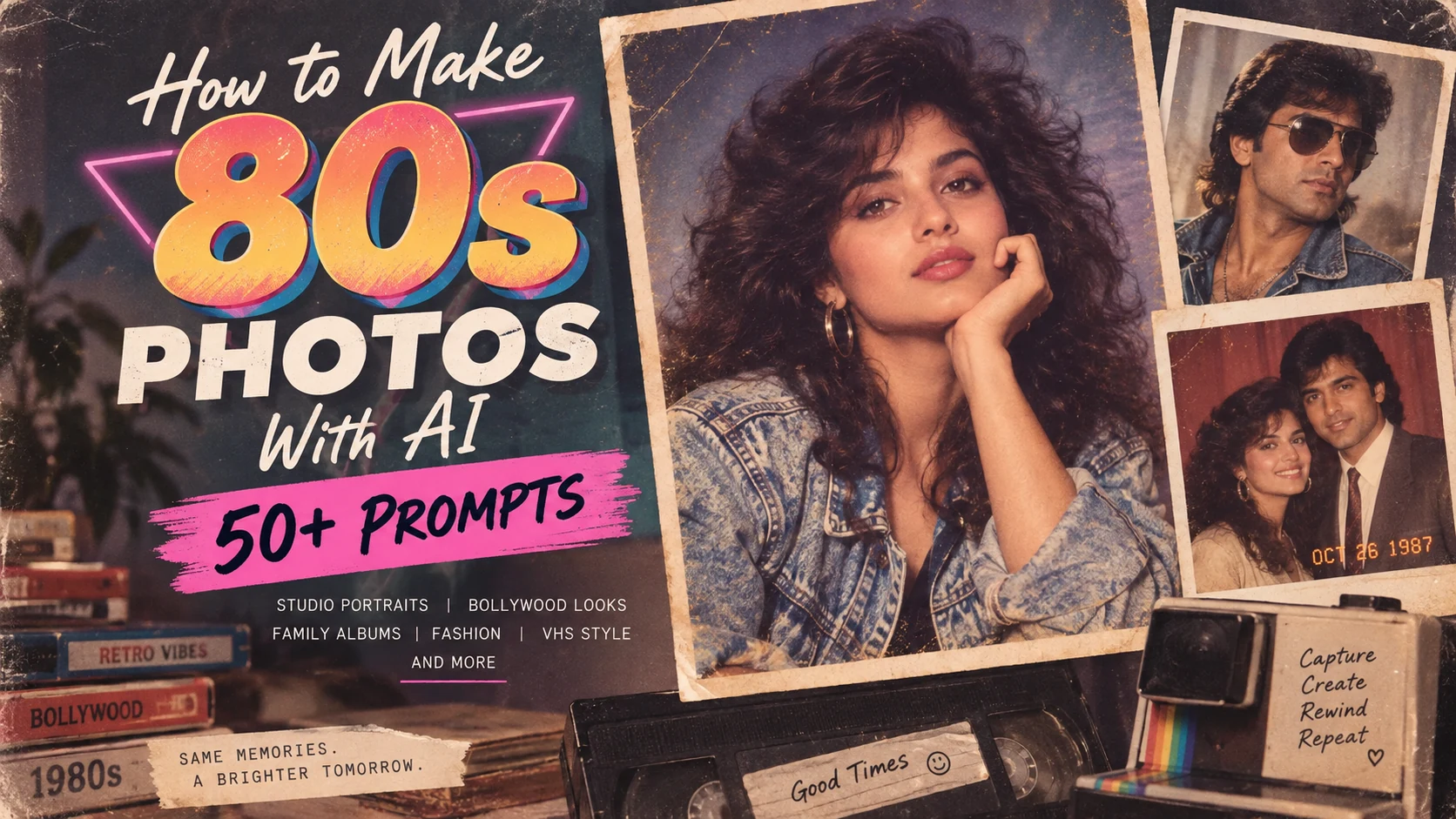
Why 80s AI photos are trending again
The current 80s photo trend is not only about nostalgia. AI now makes it easy to change an ordinary modern portrait into something that looks like it came from an old family album, studio session, movie poster or disposable camera.
Recent trend coverage has focused heavily on:
- 1980s studio portraits,
- retro Bollywood-inspired looks,
- family album photographs,
- old wedding portraits,
- college and school photos,
- colourful fashion photography, and
- grainy analogue-camera snapshots.
The visual trend also matches a wider shift toward lo-fi, grainy, imperfect and nostalgic design. That matters because overly polished AI images often feel less convincing than images with small imperfections.
The easiest way to get a believable 80s result is to make the image slightly imperfect.
What actually makes a photo look like the 1980s?
The 1980s did not have one single photography style. A mall studio portrait looked completely different from a nightclub snapshot or an Indian wedding album.
But several visual signals instantly create an 80s feeling:
| Element | Useful prompt words |
|---|---|
| Camera look | 35mm film, point-and-shoot camera, instant camera, disposable-camera look |
| Texture | fine film grain, VHS noise, dust, slight scratches, soft focus |
| Lighting | direct flash, warm tungsten light, soft studio lighting, neon glow |
| Colour | faded colours, warm skin tones, cyan shadows, magenta highlights |
| Fashion | denim jacket, oversized blazer, high-waisted jeans, colourful windbreaker |
| Hair | voluminous hair, feathered hairstyle, curls, side-parted blowout |
| Background | painted studio backdrop, arcade, old living room, neon street |
| Imperfections | slight blur, overexposed flash, faded print, light leak, date stamp |
The easiest 80s AI photo prompt formula
You do not need a massive prompt.
Use this order:
Person + 1980s setting + clothing + hairstyle + lighting + camera/film look + imperfections + mood.
For example:
“Transform this portrait into a realistic 1987 studio photograph. Keep the person recognisable. Add a denim jacket, softly feathered hair, painted blue studio backdrop, warm flash lighting, subtle 35mm film grain, slightly faded colours and natural skin texture.”
If you are transforming your own image, adding “keep the facial identity and natural proportions” can help prevent the result from turning into a completely different person.
55 ready-to-use 80s AI photo prompts
Classic 80s studio portraits
- Classic studio portrait: Transform this photo into a realistic 1985 portrait studio photograph with a blue-grey painted backdrop, soft flash, feathered hair, subtle film grain and faded print colours.
- Mall photo studio: Create an authentic 1988 shopping-mall portrait with soft-focus lighting, pastel background, natural smile, vintage clothing and slightly warm film tones.
- Glamour portrait: Turn this into an elegant 1980s glamour portrait with soft diffusion, dramatic hair, studio key light, gentle skin glow and fine 35mm grain.
- Yearbook look: Make this look like a 1986 school yearbook portrait with simple studio lighting, neutral background, slightly stiff pose and authentic analogue print texture.
- Corporate portrait: Recreate this as a 1980s professional business portrait with an oversized blazer, simple studio backdrop, direct flash and muted film colours.
- Pastel portrait: Create a dreamy 1980s portrait with pastel pink and blue background, soft diffusion filter, subtle grain and lightly faded colours.
- Black background portrait: Make this a dramatic 1987 studio photo with black backdrop, rim lighting, soft flash and realistic analogue film texture.
- Double-exposure portrait: Create an 80s studio-style double exposure with the face in the foreground and a faded profile silhouette behind it.
Family album and candid photos
- Turn this into a casual 1984 family-album photograph taken indoors with direct flash, warm colours, simple home furniture and slight motion blur.
- Create a 1986 birthday-party snapshot with balloons, cake, direct camera flash, faded print colours and authentic family-photo composition.
- Make this look like a candid 1983 living-room photograph with patterned curtains, wooden furniture, warm tungsten lighting and 35mm grain.
- Create an old vacation snapshot from 1988 with bright sunlight, slightly washed-out colours, vintage clothes and disposable-camera texture.
- Turn this into an authentic 1980s picnic photograph with natural sunlight, casual clothing, faded greens and slight print ageing.
- Create a family dinner photograph from 1985 with warm indoor light, flash reflection, simple table setting and realistic film grain.
- Make this look like an old photograph found inside a family album, with faded edges, warm colour cast and slight dust marks.
- Create a 1989 road-trip snapshot with an old car, roadside setting, direct sunlight and imperfect point-and-shoot-camera framing.
80s Indian and Bollywood-inspired looks
- Create a glamorous 1980s Indian cinema portrait with dramatic studio lighting, rich colours, voluminous hair, elegant styling and soft film grain.
- Turn this into an 80s Bollywood romantic-film still with warm sunset lighting, flowing clothing, dreamy soft focus and analogue film texture.
- Create a dramatic 1980s Indian action-film hero portrait with open-collar shirt, vintage sunglasses, strong side lighting and grainy film texture.
- Make this an old Indian film-magazine cover portrait with colourful lighting, soft retouching, slightly oversaturated print colours and vintage typography space.
- Create a classic 1980s Indian wedding-album portrait with traditional clothing, warm flash, decorated backdrop and slightly faded print colours.
- Turn this into a 1980s Indian college photograph with casual retro clothing, natural hairstyle, outdoor campus background and soft film colours.
- Create an old cinema-poster-style portrait with dramatic pose, hand-painted colour feel, bold lighting and vintage print texture.
- Make this look like a romantic 1980s Indian music-album cover with soft haze, warm highlights and elegant vintage styling.
80s fashion and glamour
- Create a 1980s fashion editorial with oversized blazer, strong shoulders, studio flash, glossy makeup and bold colour blocking.
- Turn this into a retro denim fashion shoot with acid-wash jacket, high-waisted jeans, bright studio lighting and film grain.
- Create an 80s fitness-fashion portrait with colourful tracksuit, headband, bright studio background and energetic catalogue-photo styling.
- Make this look like a 1987 fashion catalogue photo with clean white background, direct flash and colourful clothing.
- Create a neon 80s fashion portrait with magenta and cyan lighting, dramatic hairstyle, reflective accessories and light film grain.
- Turn this into a vintage leather-jacket portrait with dark background, strong flash, smoky atmosphere and cinematic 35mm texture.
- Create a retro luxury portrait with gold jewellery, elegant evening wear, soft studio diffusion and rich warm film tones.
- Make this an 80s pop-star promotional photograph with bold colour backdrop, expressive pose, glossy styling and soft analogue grain.
Street, arcade and nightlife
- Create a realistic 1986 city-street photograph at night with neon shop signs, wet pavement, 35mm grain and cyan-magenta colour cast.
- Turn this into an 80s arcade portrait surrounded by glowing game machines, colourful lights and direct camera flash.
- Create a retro roller-rink photograph with coloured lights, motion blur, vintage sportswear and grainy film texture.
- Make this a late-night 1980s diner photo with red booths, warm fluorescent light, direct flash and faded colours.
- Create a retro petrol-station portrait at night with neon lighting, vintage car and cinematic 35mm texture.
- Turn this into a candid 80s concert photograph with stage lights, heavy grain, slight blur and energetic crowd atmosphere.
- Create a downtown 1988 street-fashion shot with brick buildings, oversized jacket, harsh daylight and point-and-shoot-camera look.
- Make this an 80s nightclub snapshot with colourful flash, dark background, slight red-eye effect and realistic photo imperfections.
VHS, camcorder and lo-fi looks
- Turn this into a paused 1987 VHS frame with scan lines, slight colour bleeding, timestamp and low-resolution camcorder texture.
- Create a home-video still from 1985 with warm indoor colours, VHS noise, date stamp and imperfect framing.
- Make this look like footage from an old camcorder with chromatic bleeding, tracking noise and soft focus.
- Create an 80s television-screen portrait with CRT glow, scan lines, colour distortion and subtle static.
- Turn this into a retro music-video still with neon lights, fog, VHS softness and oversaturated colours.
- Create a low-budget 1980s commercial look with studio lighting, VHS texture and bold colourful background.
- Make this resemble a paused family videotape with timestamp, slight blur and faded analogue colours.
- Create a retro security-camera-inspired frame with monochrome tint, timestamp and authentic low-resolution video noise.
Couples, weddings and romantic photos
- Create a romantic 1980s couple portrait with soft studio lighting, pastel backdrop, natural pose and faded film colours.
- Turn this into an old wedding-album photo with warm flash, floral decoration, traditional styling and realistic print ageing.
- Create an 80s engagement portrait with formal clothing, soft-focus lens effect and painted studio background.
- Make this look like a candid couple photograph from 1986 taken outdoors at sunset with warm film tones.
- Create a nostalgic train-station romance photo with vintage clothing, cinematic lighting and fine analogue grain.
- Turn this into a retro prom-night photograph with formal outfits, decorated backdrop, direct flash and authentic 80s styling.
- Create a dreamy 1980s romantic portrait with soft haze, warm highlights, gentle grain and slightly faded print texture.
5 small changes that make AI 80s photos look much better
If your result still looks like a modern image with an Instagram filter, improve the prompt using these five details.
1. Ask for a specific year
“1986 studio portrait” is often more useful than simply saying “retro.”
2. Describe the camera feel
Add phrases such as 35mm film, point-and-shoot camera, direct flash or VHS camcorder.
3. Add imperfections
Try subtle grain, faded colour, slight blur, dust, film scratches or light leaks.
4. Describe the background
A painted studio backdrop, arcade, living room, diner or wedding hall immediately gives the image more context.
5. Protect facial identity
If using your own photo, ask the model to preserve the person's face, proportions and recognisable features while changing the era.
Why your 80s AI photo may look fake
The most common mistake is asking for too much perfection.
A perfectly sharp 8K face, flawless skin, modern colour grading and cinematic digital lighting often fight against the old-photo effect.
Instead of:
“Ultra-detailed 8K perfect professional portrait.”
try:
“Authentic 1987 35mm portrait, natural skin texture, subtle film grain, slightly soft focus, faded colours and direct flash.”
Old photographs looked good because they were imperfect.
Which 80s photo style should you try first?
If you want something easy and recognisable, start with one of these:
- For Instagram: neon fashion or Bollywood-inspired portrait.
- For couples: soft-focus studio or old wedding-album style.
- For family: direct-flash living-room snapshot.
- For fun: arcade, VHS or yearbook portrait.
- For realism: 35mm family album with mild grain and faded colour.
The current trend is moving toward images that feel less digitally perfect and more personal, textured and believable.
Can you use these prompts in ChatGPT and other AI image tools?
Yes. The wording is intentionally tool-neutral.
The process is usually:
- Upload a clear photo if you want to transform yourself.
- Choose one prompt above.
- Add personal details such as clothing colour or background.
- Generate the first version.
- Ask for one or two corrections instead of rewriting everything.
For example:
“Keep this version, but reduce the glamour effect, add more realistic 35mm grain and make the colours look slightly faded.”
That iterative approach usually gives you more control than trying to write one enormous prompt.
One final prompt if you just want the easiest option
Copy this:
“Transform my uploaded photo into a realistic 1980s photograph while keeping my face clearly recognisable. Use era-appropriate clothing and hairstyle, natural skin texture, subtle 35mm film grain, slightly faded colours, soft focus, direct flash and authentic analogue imperfections. Make it feel like a real photograph from 1987, not a modern digital image with a retro filter.”
Then tell the AI whether you want a studio, family album, Bollywood, wedding, arcade, street or VHS version.
That is usually enough to start.
More creative and AI content ideas
If you enjoy experimenting with AI and content creation, you may also find these MTP DigiTech resources useful:
Want more AI-friendly content ideas for your brand?
MTP DigiTech creates search-focused content, landing pages and digital campaigns designed around what people are actively searching for.
Content Marketing Services →